Agent Idle Dashboard
v0.0.1 Now Available

Vibecode harder.
We'll ping you when it's done.

Unified monitoring for your AI fleet. Go touch grass, obtain calmness, or learn actual SWE basics while the agents do the heavy lifting.

$ npm install -g agent-idle
Designed for the AI Era

Everything you need to orchestrate your fleet of coding agents.

The "Touch Grass" Protocol

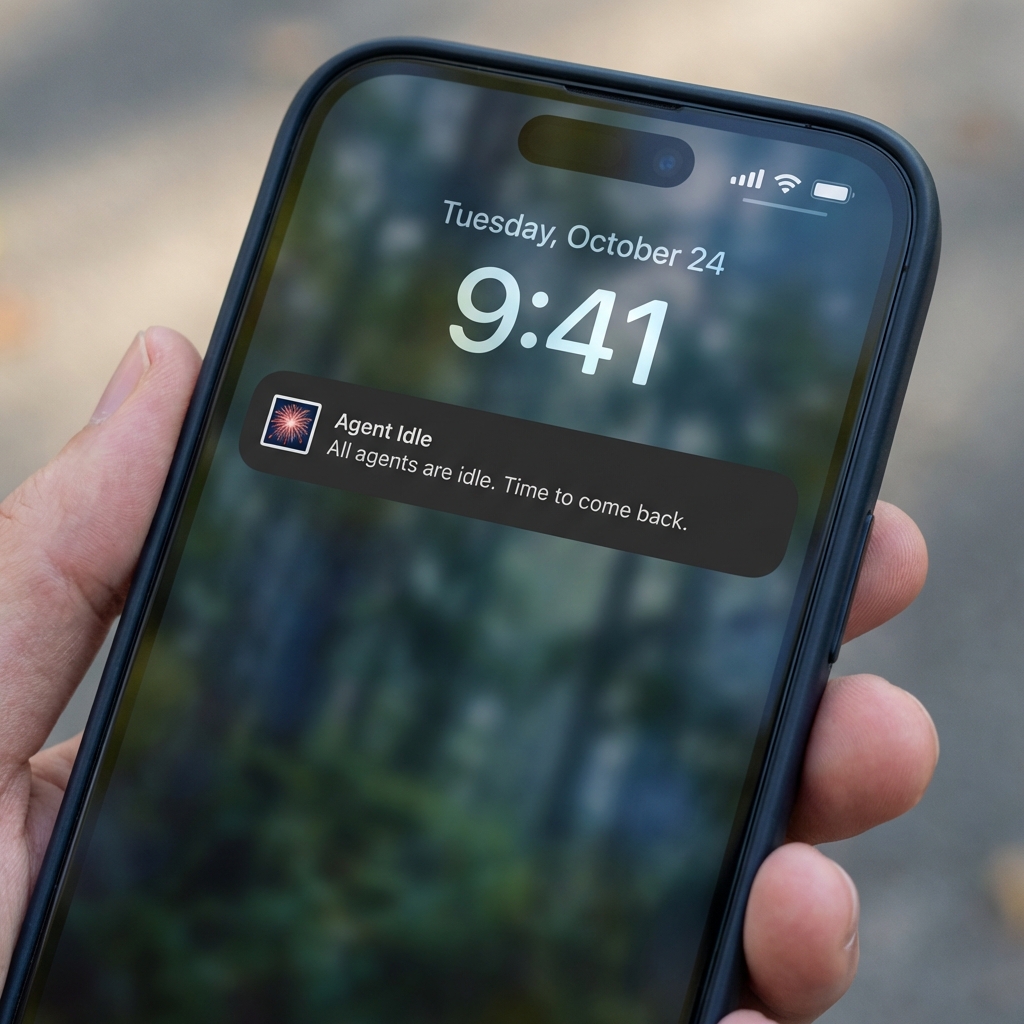
Vibecoding is exhausting. Stop staring at terminal output. We'll ping your phone when the agents finish or crash, so you can doomscroll or touch grass in peace.

Mobile Notification
Antigravity GitHub Copilot Cursor Claude Code

Multi-Agent Support

One dashboard for everyone. Seamlessly integrates with Antigravity, Cursor Composer, GitHub Copilot, and Claude Code.

Real-Time Tracking

Watch your agents think and act. Live status updates for active tasks, file edits, and command executions across all your AI tools.

Chat History

Review past conversations. Access full chat logs and implementation plans from any previous session directly in the dashboard.

Docs: Notifications with ntfy.sh

Configure alerts so you can step away and come back when agents are done.

1) Install on your PC

Install the CLI globally so you can run it from anywhere.

npm install -g agent-idle

2) Start the dashboard

Run Agent Idle to start monitoring. A topic will be shown in your terminal.

agent-idle start

3) Download the ntfy app

Install the ntfy app on your phone so it can receive alerts.

4) Subscribe to the topic

Use the topic shown in step 2 and subscribe in the ntfy app:

  1. Open the ntfy app
  2. Tap “+” to add a subscription
  3. Paste the topic from your terminal
agent-idle-a1b2c3

5) Read the full docs

For detailed usage, options, and troubleshooting, visit the npm docs page.

Open npm Docs
Tip: You can set a custom topic later with agent-idle config --topic my-secret-project.